What do people mean by an AI sales assistant?
The name gets used for three different tools. They help at different points in a deal, and they run in different places.
| What it does | Where and when | |
|---|---|---|
| Note-taking meeting bot | Records the meeting and sends a summary, a transcript and action items | Joins the online meeting; the notes arrive after it ends |
| Email and prospecting assistant | Researches accounts and contacts, and drafts outreach and replies | In your inbox and sales tools, before and between calls |
| Live call assistant | Shows the next question to ask, and answers to the buyer's questions | On your computer, during the call |
They do different jobs, so plenty of reps use more than one. The useful question is which part of your week needs the help.
What does an AI note-taker do?
A note-taker joins your video meeting as a participant, from the meeting link. It records the call, and once the meeting ends it sends a summary, a transcript and a list of action items. Many also let you search your past meetings.
It is built for the record. You stop typing notes during the call, and nobody has to remember who promised what. Its help comes after the call, though, so it can't change what you ask while the buyer is still talking. Everyone on the call sees it in the attendee list, and it needs an online meeting to join.
For the two side by side, see AI sales assistant vs meeting bot.
What does an AI email and prospecting assistant do?
This kind works around your calls. It finds accounts and contacts that fit who you sell to, pulls together what's known about them, and writes first drafts of outreach and replies for you to edit. Some log the activity in your sales tools, and some can send in your name.
It saves the hours of writing and research that pile up between calls. It doesn't hear the call, so it can't help with what the buyer says on it. Before you switch one on, find out what it can send without you reading it first.
What can an AI assistant do during a sales call?
This is the kind that helps while the buyer is still on the line. Here is what Veracity does at three points in a call.
Built from your prep, research on the buyer's role and industry, and your earlier calls with the company.
One open question of 20 words or fewer, written while they're still answering, then upgraded with what they just said.
Answers come from your own documents and name the files used. When your docs don't cover it, the card says so.
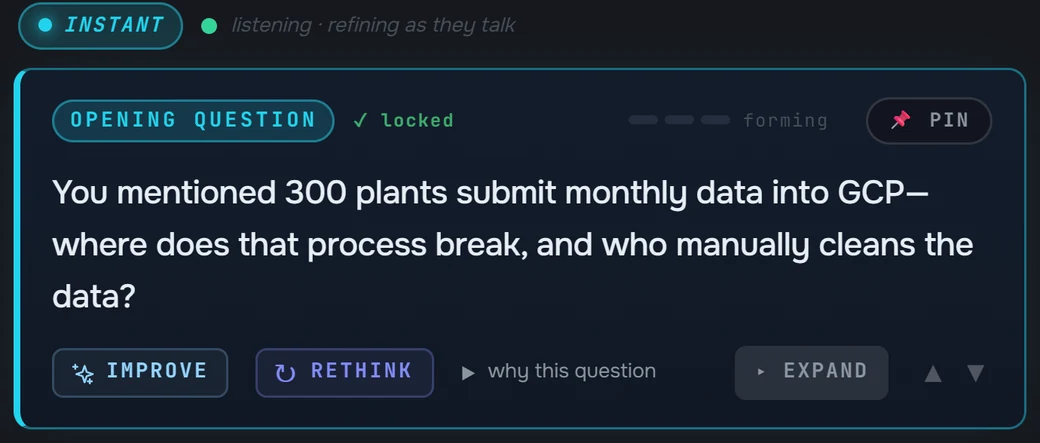
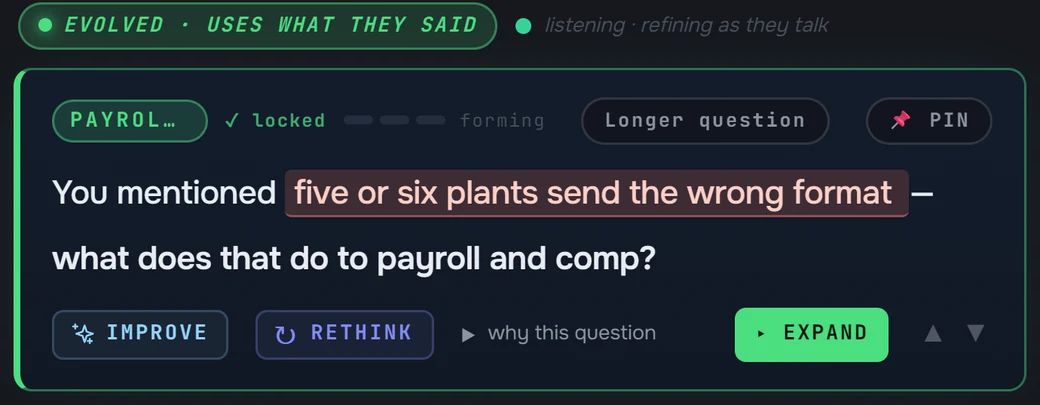
When the buyer pushes back, the objection card gives you a line to say of 30 words or fewer: it acknowledges the concern, reframes it, and brings proof from your docs when one matches. Notes fill in while you talk, with a summary, MEDDPICC, facts, open questions, objections, stakeholders and tasks. After the call you get a recap with Diagnosis, MEDDPICC, Risks and Improve sections.
None of it needs a bot. Veracity runs on your Windows or Mac computer beside Zoom, Teams, Google Meet or Webex, or in a meeting in the room. It hears your microphone and your computer's audio. You confirm consent to record before every call, and the audio is never saved.
How do you choose an AI sales assistant?
Start from where the work piles up, or where deals slip, today.
| Start with | What changes | |
|---|---|---|
| Writing and research eat the hours between calls | An email and prospecting assistant | First drafts and account research are waiting for you |
| Nobody remembers who promised what on the call | A note-taker | A written record of every meeting |
| Discovery stays shallow, or a technical question stalls the call | A live call assistant | The better question and the answer, while the buyer is still talking |
| You sell in the room as well as on video | A live call assistant on your computer | Help in meetings with no link for a bot to join |
Before any assistant goes near a customer
- What does it need access to? Your inbox, your meeting accounts, or only the audio on your own computer.
- What can it send or save in your name? Find out which messages go out without you reading them, and who can open what it keeps.
- What does the buyer see? A bot in the attendee list, or nothing in the meeting at all.
- Where do its answers come from? An answer that names its source file can be checked before you repeat it to a buyer.
See everything the live kind does in Veracity: features before, during and after the call.